Change clothes color in a photo online for free. Change shirt, dress, jacket, or pants color with AI while keeping texture, folds, and lighting natural.
An AI clothes color changer is a tool that recolors visible garments in a photo while preserving fabric texture, folds, lighting, and the original person, so you can compare colorways without reshooting.
Tested by OutfitSwap Studio testing team · Updated 2026-06-15
We test this workflow with matched before-and-after image pairs, then check garment edges, fabric texture, lighting match, and identity preservation before publishing examples.
Change shirt, dress, or jacket colorKeep texture and lightingWorks on phone and desktop
Loading...
Powered by our AI Clothes Changer pick a preset or describe the outfit you want — AI handles the rest.
Real results from one workflow
Before and After Clothes Color Changes
Real recolor examples for shirts, dresses, jackets, and full outfits while keeping the same person, fit, and lighting.
AI Clothes Color ChangerColor-only edit
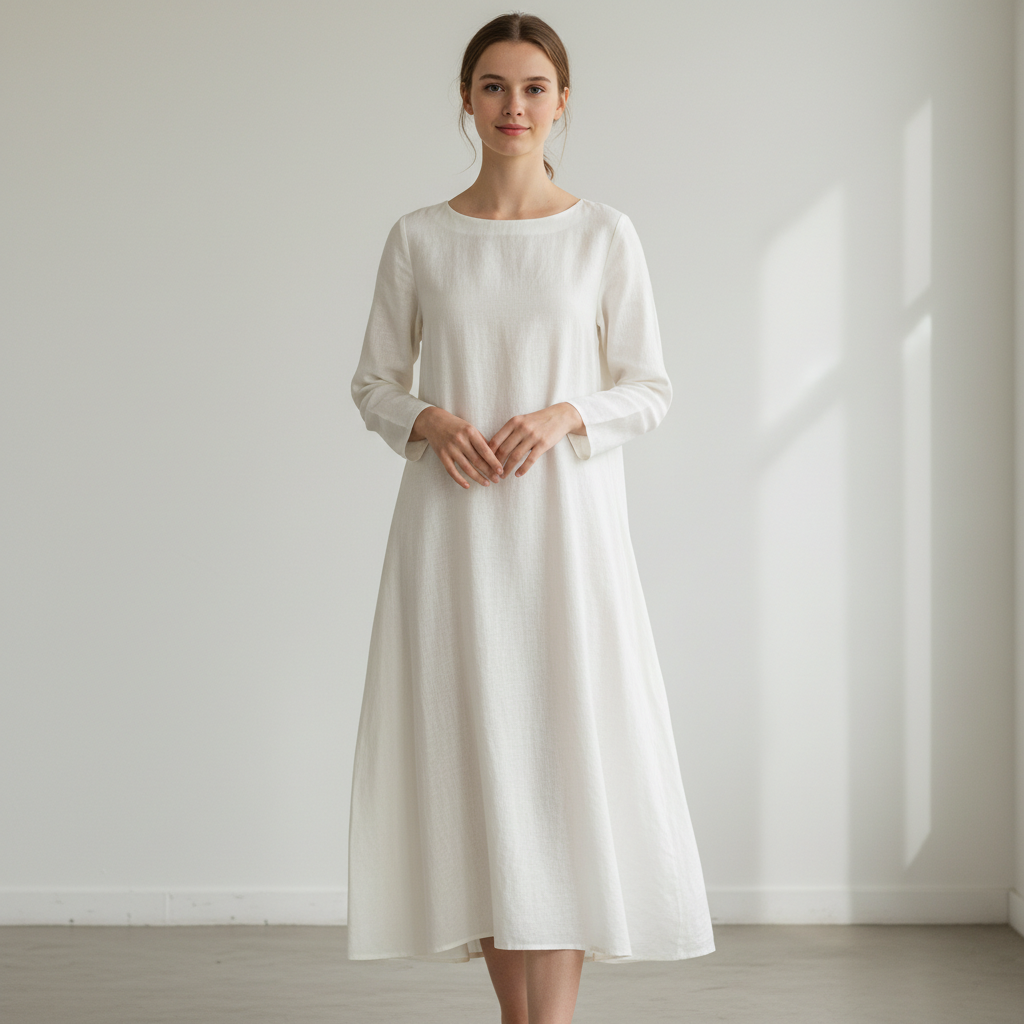
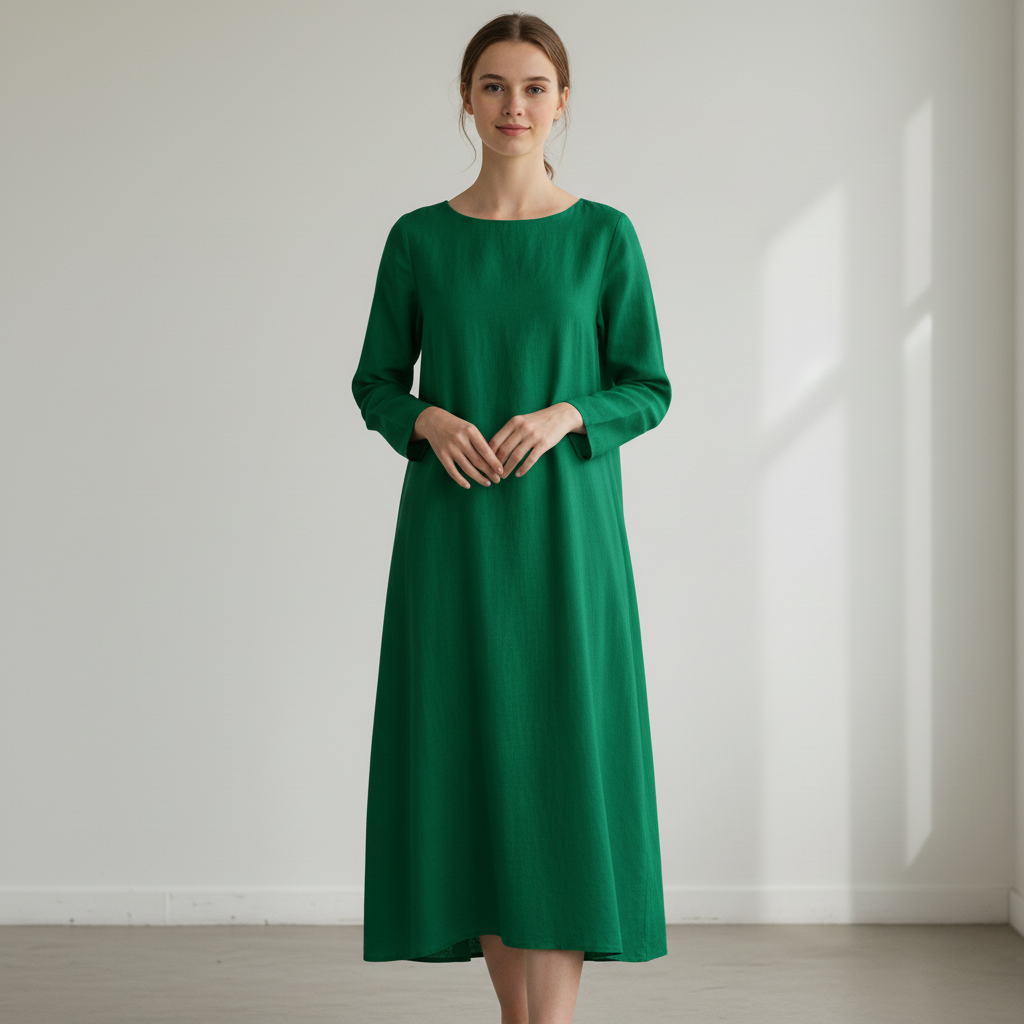
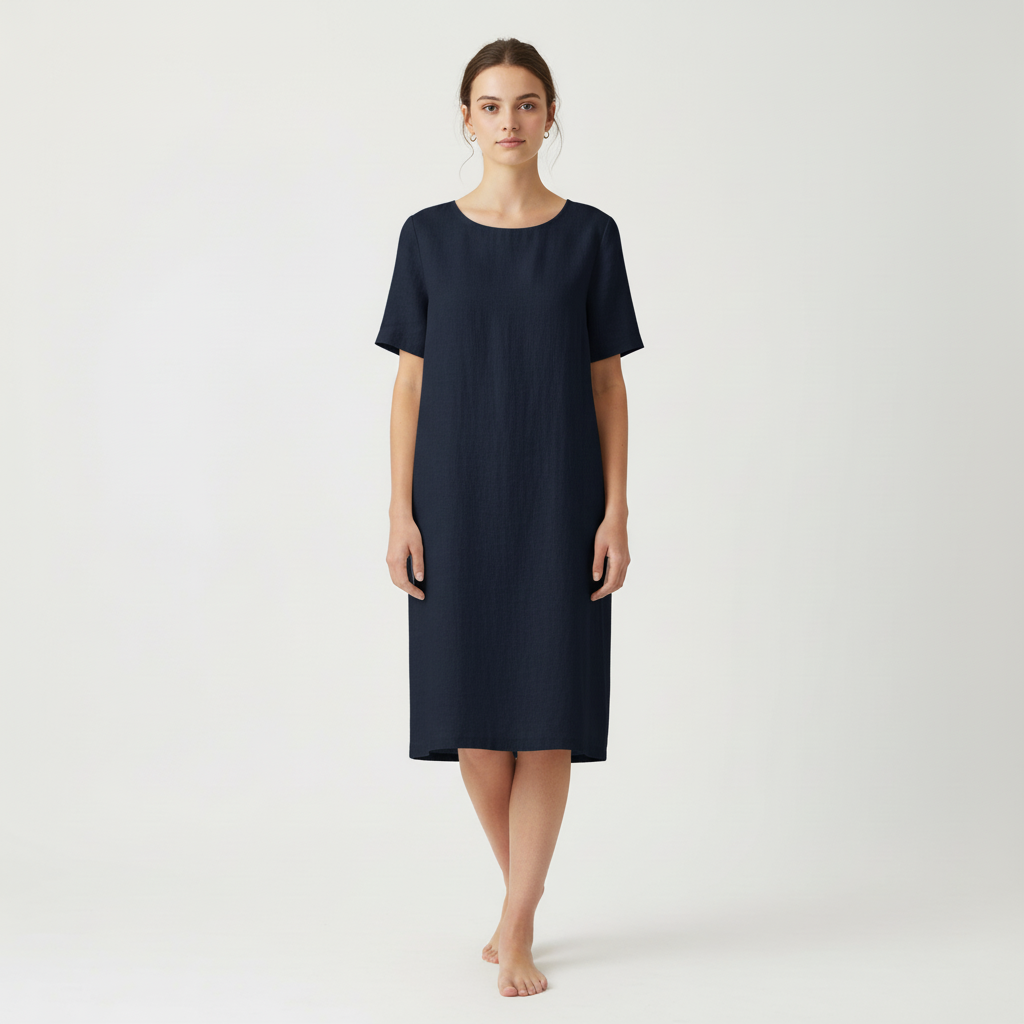
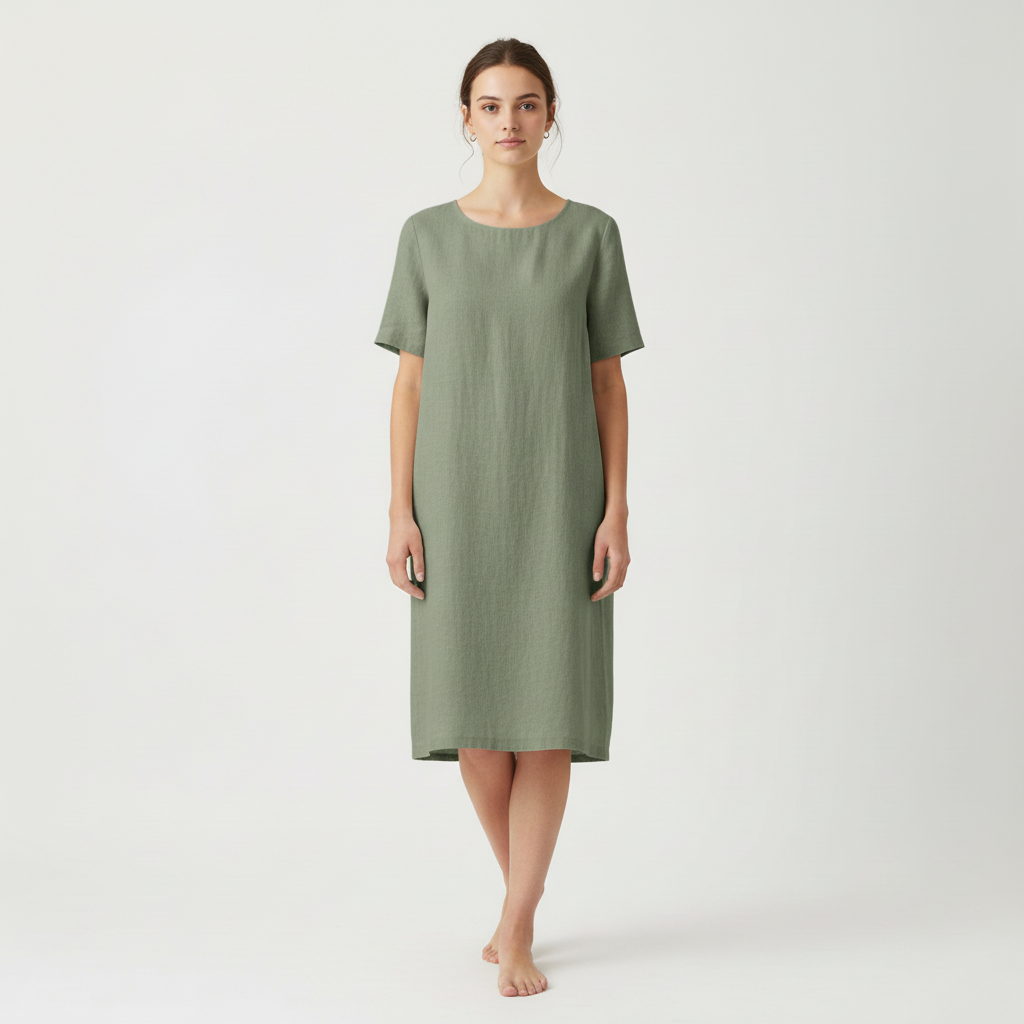
Change dress color in photo from white to emerald green
This example shows the cleanest recolor workflow: the dress shape, folds, and fabric stay the same while the color changes from white to emerald green.
Best for users who want to change clothes color in a photo without changing the garment itself.
Before
After
AI Clothes Color ChangerColor-only edit
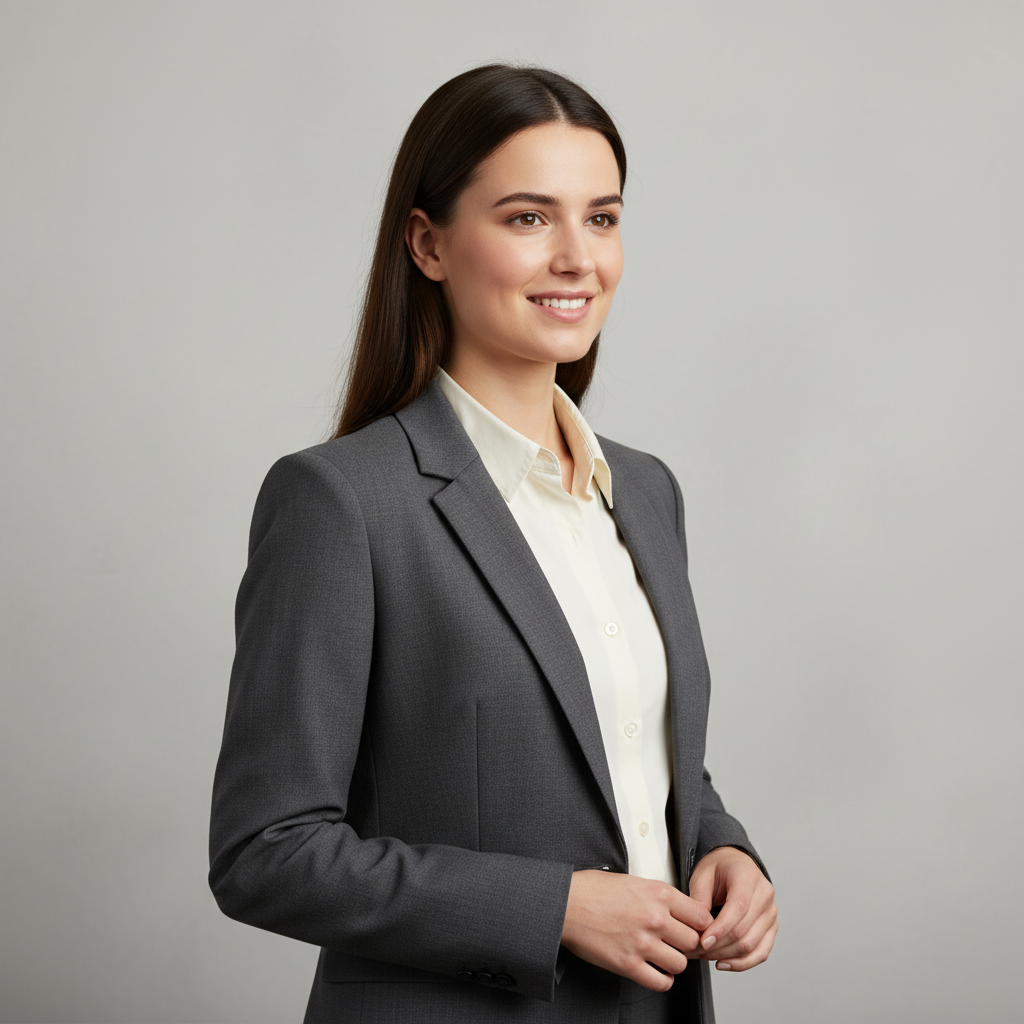
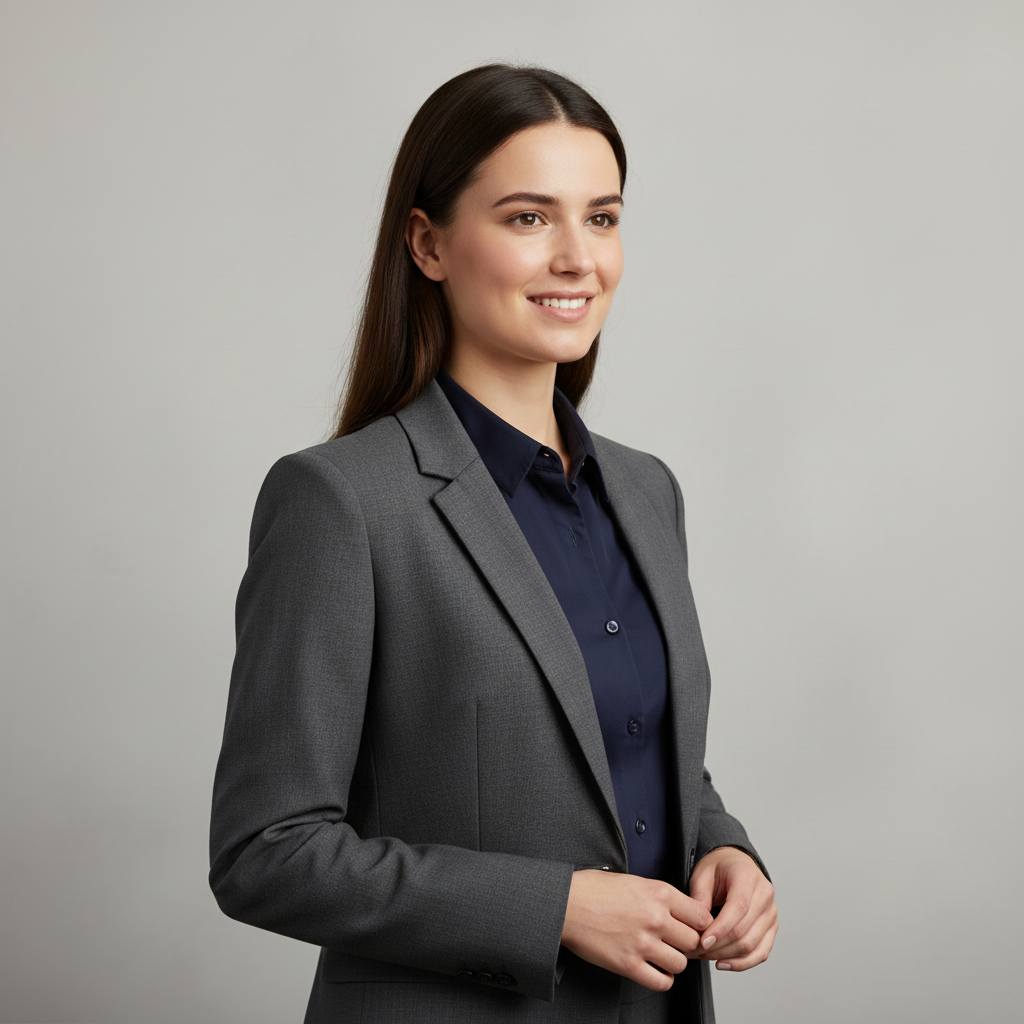
Change shirt color in photo from white to navy under a gray blazer
Use this approach when you want to recolor only one visible garment in a layered outfit. Here the shirt changes from white to navy while the blazer, face, and lighting stay untouched.
A strong example for shirt recolor workflows, workwear edits, and small clothing updates on the same photo.
Before
After
AI Clothes Color ChangerColor-only edit
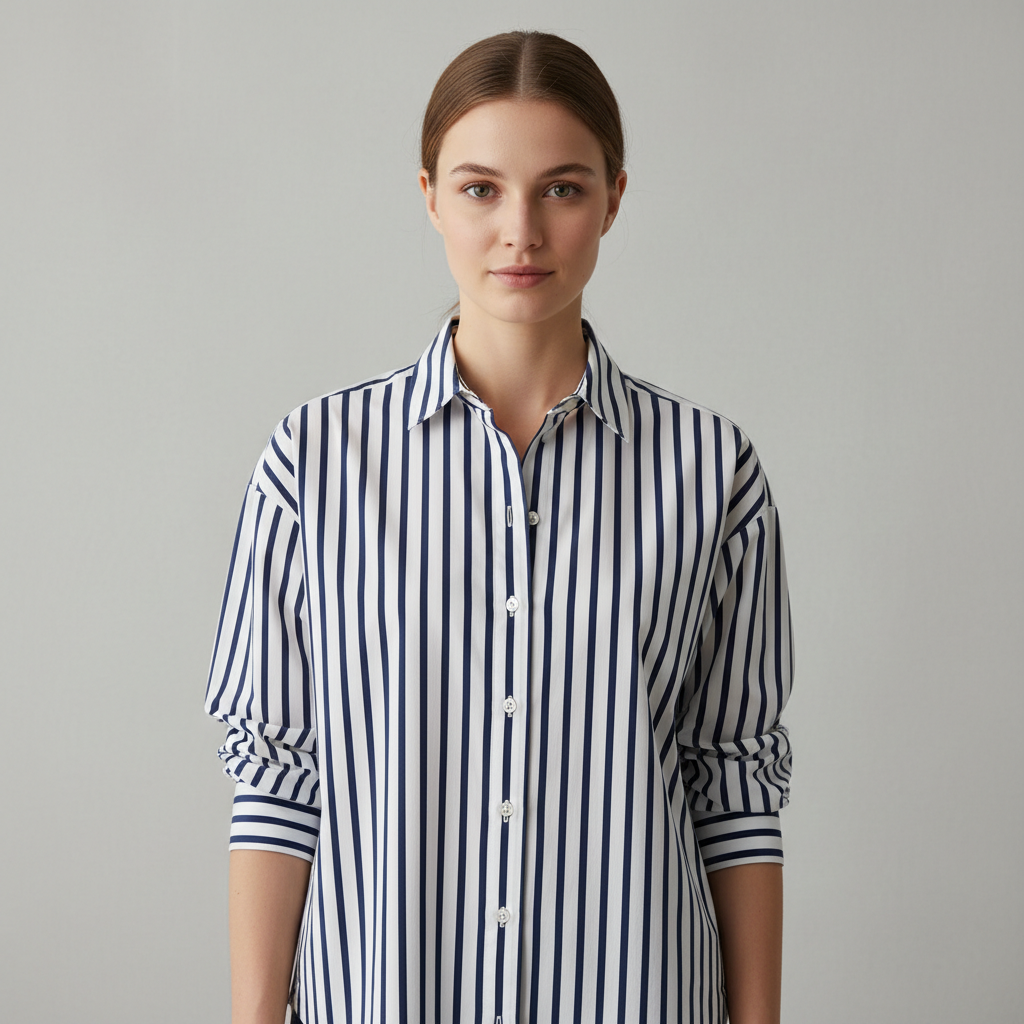
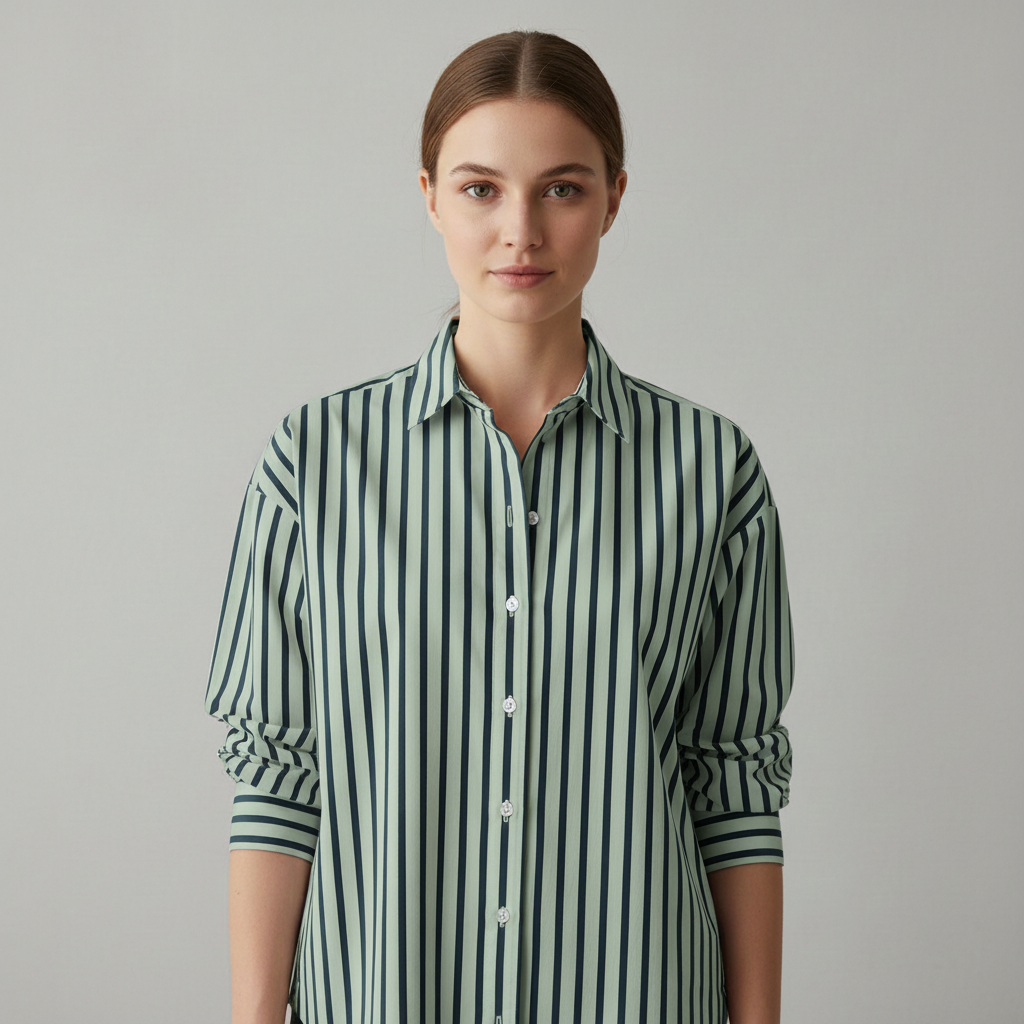
Change a striped shirt color in photo to sage while keeping the pattern
This before-and-after example shows how visible stripe detail can stay readable while the overall shirt color shifts. It is useful when texture or pattern matters as much as the new color.
Good for users who need pattern and garment detail to stay intact during a recolor.
Before
After
AI Clothes Color ChangerColor-only edit
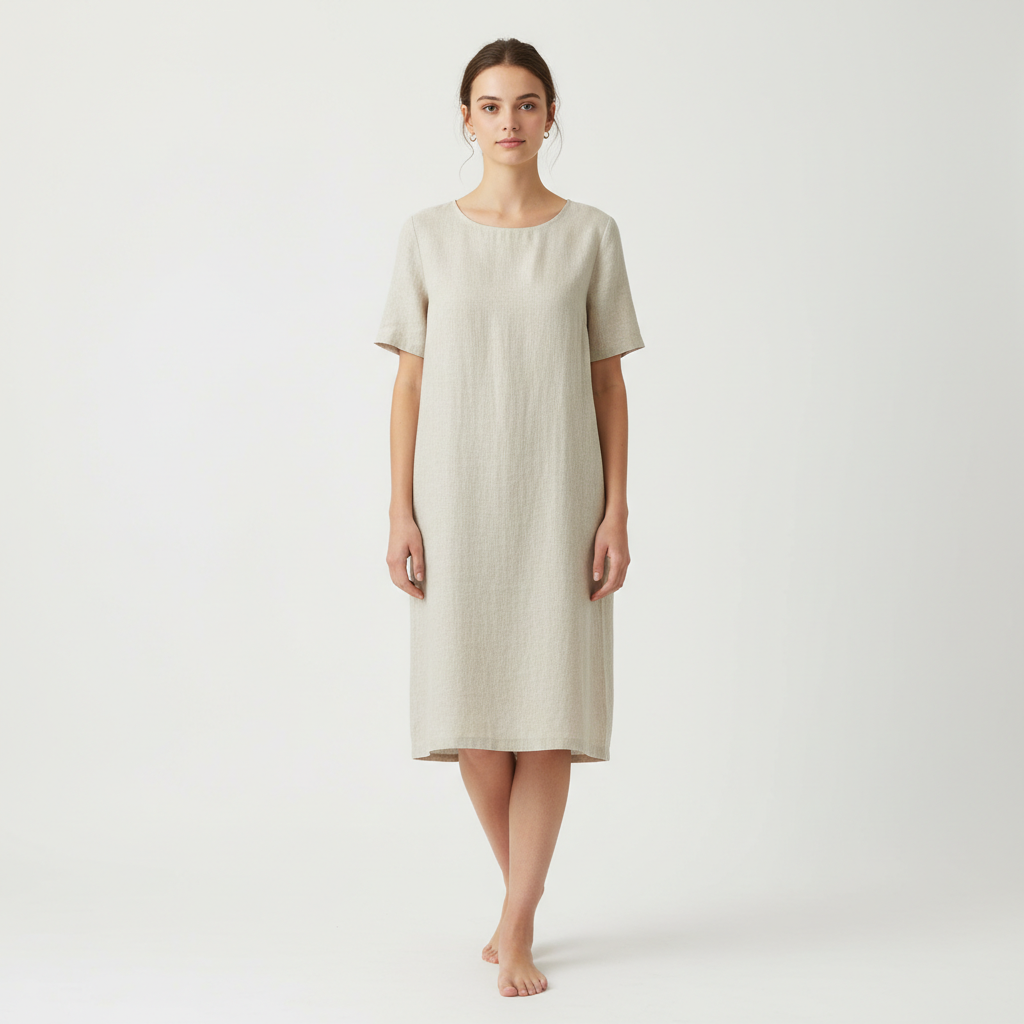
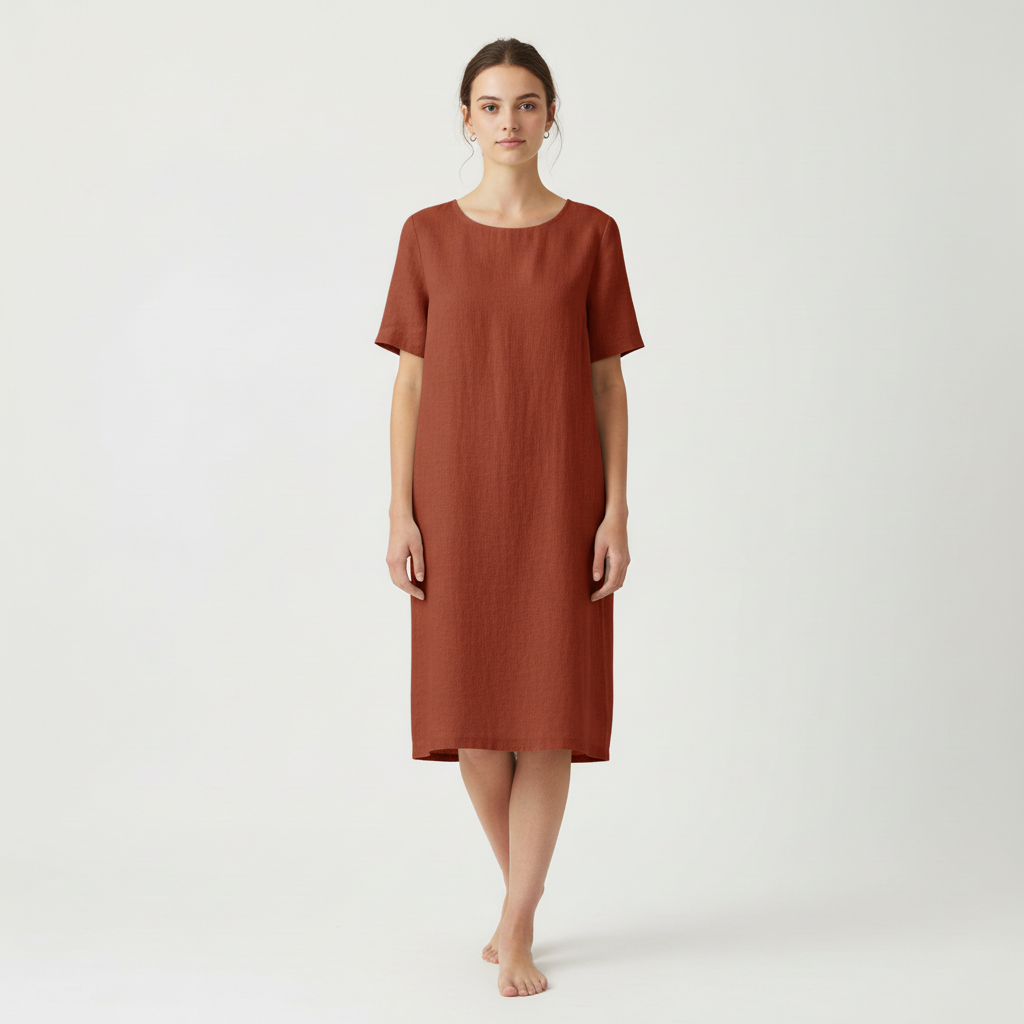
Change dress color in photo from light neutral to terracotta
The same workflow also works well for ecommerce-style product photos where you want to preview a new colorway without reshooting the same garment from scratch.
Useful for catalog updates, product variants, and quick visual testing of new clothing colors.
Before
After
AI Clothes Color ChangerColor-only edit
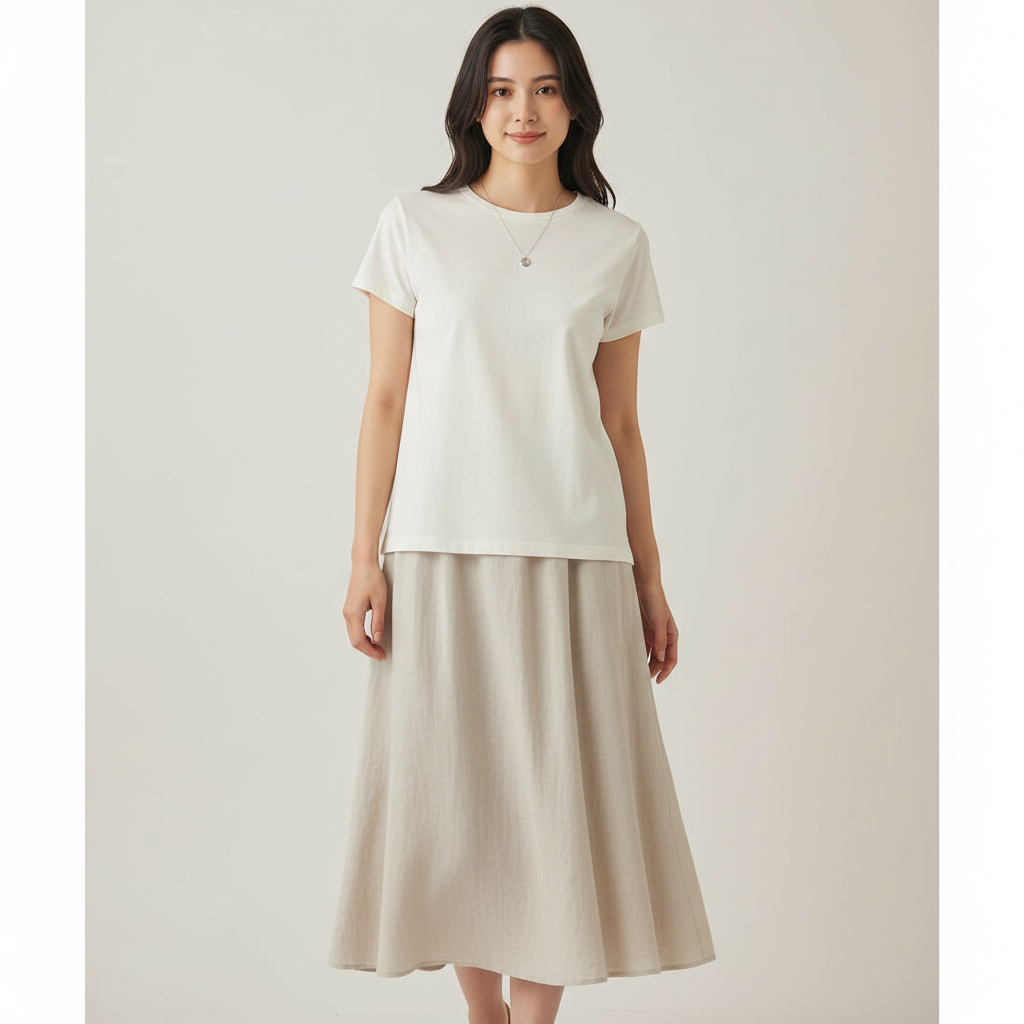
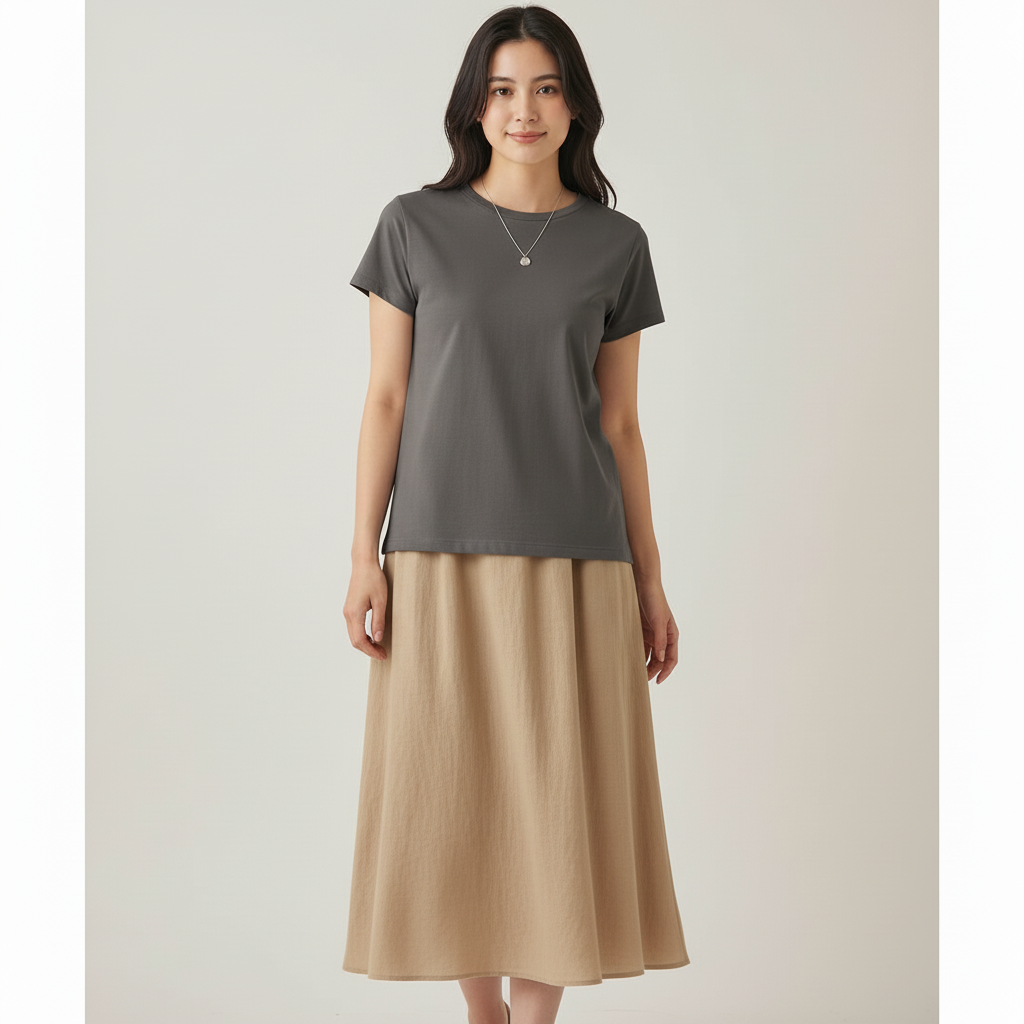
Change two clothing items in one photo: charcoal top and beige skirt
This example shows a more advanced recolor workflow: more than one clothing item changes while the same person, fit, and overall composition stay consistent.
Best shown later in the section because it demonstrates a stronger multi-item color change after the cleaner single-item examples.
Before
After
Dress color preview
Change dress color online without changing the dress
Use this section when you only want a new color, not a new outfit. Upload a clear dress photo, name the shade you want to test, and keep the prompt focused on color only.
Prompt to try
Keep the same dress, change the color to emerald green. Keep fabric texture, folds, pose, and background unchanged.
Same dress, new color
Use this when a white, beige, or neutral dress works, but you want to preview emerald, navy, terracotta, or another shade.
Keep fabric detail
Add a keep line for fabric texture, folds, pose, and background when the dress has visible drape or shadows.
Recolor before swapping
Use color change when the dress style should stay the same. Use full clothes change only when you want a new garment.
Use a photo where the clothes and fabric texture are easy to see.
2
Tell AI Which Clothes Color to Change
Write a simple prompt like "change the shirt to white" or "change the dress to emerald green."
3
Generate and Compare Colors
Keep the same photo and compare several clothing color change options before you decide which one looks best.
When People Use a Clothes Color Changer
This color-only workflow is most useful when you want to see a new shade fast without changing the fit, pose, or overall outfit.
See a Different Color Before You Buy
Try a shirt, dress, jacket, or pants color on your own photo before ordering, styling, or editing anything by hand.
Shoppers
Compare a few colors on the same outfit photo.
Check whether a shirt or dress color works with your skin tone or event.
Useful for shoppers, stylists, and anyone choosing between colors.
Create Product Color Options from One Photo
Show multiple clothing colors from one approved product image instead of reshooting every variation.
Online sellers
Create more than one color option from the same product photo.
Keep the fit, folds, and lighting consistent across versions.
Useful for ecommerce listings, ads, and social posts.
Make More Color Versions for Content
Turn one photo into several color options for thumbnails, campaigns, and social content.
Creators
Test bold and neutral colors on the same pose.
Keep the person and background consistent across versions.
Recolor clothes online faster than manual editing for content experiments.
Preview Uniform, Event, or Brand Colors
Check how a color change looks before a team shoot, event, or design review.
Teams
Compare wedding, interview, school, or team colors from one photo.
Use the recolor workflow to see whether you need only a color change or a full outfit change.
Useful on phone or desktop when you need a quick answer.
Copy Prompts to Change Shirt or Dress Color
Use these simple prompts to change clothes color in a photo while keeping texture, pattern, and lighting natural.
Change Shirt Color in Photo
Change the shirt to navy blue. Keep the blazer, skin tone, hair, hands, body shape, and background unchanged.
shirt colornavysingle-item
Use this when you only want to change the shirt color without affecting the rest of the outfit.
Change Dress Color in Photo
Keep the same dress and change the color to burgundy. Keep the dress shape, fabric texture, folds, skin tone, pose, and background unchanged.
dress colorburgundykeep texture
Good for comparing dress colors before you buy, edit, or reshoot.
Change Jacket Color
Change only the blazer to camel beige. Keep the pants black, keep the shirt white, and keep skin tone, hair, pose, and background unchanged.
jacket colorcamelkeep outfit
Use this when you want to change one outer layer and keep the rest of the look the same.
Keep Pattern While Changing Color
Change the striped shirt to dusty rose. Keep the stripe pattern, skin tone, pose, and background the same.
patterndusty rosekeep pattern
Helpful when the clothing has stripes or prints that still need to look natural after the color change.
Create Product Color Options
Change the dress to terracotta. Keep the same dress shape, fabric texture, pose, skin tone, and background unchanged.
product phototerracottamultiple colors
Useful for showing more than one clothing color from the same product photo.
Change Two Clothing Items
Change the top to charcoal grey and the skirt to warm beige. Keep skin tone, pose, body shape, and background unchanged.
two itemscharcoalwarm beige
Best after a clean one-item test, when you want to change more than one clothing item in the same photo.
How to write a clean color-change prompt
Start with one garment before trying multiple clothing items.
Name the garment first, then the new color.
Add one short protection line for texture, pattern, skin tone, or background when needed.
Use the same photo when you want to compare several colors side by side.
If the wrong area changes, say exactly what should stay the same.
A clear photo matters more than a long prompt.
Best Photos for Changing Clothes Color
Clear, well-lit photos help the recolor tool produce natural results without flattening the fabric.
Do This
Neutral lighting with soft shadows
Visible fabric texture and clear clothing edges
One person clearly separated from skin and background
High-resolution photo with crisp details
Same photo reused when comparing several colors
Phone or desktop photos are fine if the clothing is sharp and visible
Avoid This
Heavy color casts or neon lighting
Deep shadows hiding part of the garment
Blurry or low-resolution screenshots
Shiny highlights that wash out fabric detail
Background colors that blend into the clothing
Trying to change too many items before testing one clean edit
💡
Color Change Tip
Start with one garment and one new color. Once that looks right, use the same photo to compare more colors or add a second clothing item.
Need a Color Change or a Full Outfit Change?
Use clothes color change when the outfit already works and you only want a new color. Use full outfit change when you need different clothing altogether.
Color Change
Keep the same garment, change only the color
Use this color-only editor when the shirt, dress, jacket, or uniform should stay the same style but shift to a new shade.
Best when you want to change a shirt, dress, or jacket color in a photo without changing the outfit.
Keeps the same outfit shape, texture, folds, and pattern when the photo is clean.
Useful when color is the only thing you want to change.
Change shirt, dress, jacket, or pants color from one photo. Use it before you buy, before you reshoot, or when you need quick color options on phone or desktop.
This workflow lets you change clothes color in a photo without changing the outfit shape. It works well for shirt, dress, jacket, pants, and two-item color changes on phone or desktop.
Who this recolor workflow helps
Shoppers checking a new color before they buy
Ecommerce sellers showing multiple clothing colors from one product photo
Creators making several color versions of the same image
Stylists, teams, or schools previewing uniform and event colors
How to change clothes color in a photo
Upload a clear photo with the clothing item fully visible.
Name the garment you want to change and the new color.
Add one short protection line if you need to keep texture, pattern, skin tone, or background unchanged.
Generate a few versions from the same photo to compare colors.
Change shirt color in a photo
Prompt: "Change the shirt to crisp white. Keep the blazer, skin tone, and background unchanged."
Best for headshots, outfit planning, school uniforms, and quick content updates.
Works best when the shirt edges are clearly separated from skin, jacket, or hair.
Change dress color in a photo without losing texture
Prompt: "Keep the same dress and change the color to emerald green. Keep folds, fabric texture, and lighting unchanged."
Best for anyone who wants to recolor clothes online for shopping, event planning, product photos, and style previews.
Visible folds and even lighting make the new dress color look more natural.
Recolor clothes online without Photoshop
You do not need manual masking or advanced editing software. The tool handles the masking automatically — a clear photo and a short prompt are usually enough to preview whether a different shirt, dress, jacket, or pants color works.
Best photos for changing clothing color
Neutral lighting with soft shadows
Visible fabric texture and garment edges
One person clearly separated from the background
High-resolution photo without heavy filters
The same photo reused when you want to compare several colors
Common clothing color change mistakes
Mixing a new outfit request with a clothing color change request
Using a dark or strongly tinted photo
Asking for too many clothing items before testing one clean change
Forgetting to protect pattern, skin tone, or background when needed
Change one item or compare several colors
Start with one garment, then reuse the same photo to compare several colors. The workflow makes it easier to judge whether white, navy, sage, burgundy, or charcoal is the better choice because only the clothing color changes.
Color-only edits vs full outfit changes
Use the color-only workflow when the clothes already work and you only want a new color. Use full outfit change when you need a new garment, a different silhouette, or a completely different styling direction.
Practical examples
Case 1: Change shirt color before a professional photo
Goal: Change only the shirt color for a cleaner professional look.
Base photo: Chest-up or 3/4 photo, simple background, neutral lighting.
Prompt: Change the shirt to white. Keep jacket, skin tone, and background unchanged.
Output checks: shirt color looks even, jacket stays the same, and there is no bleed around the neck or hands.
Case 2: Change dress color before an event
Goal: Compare two event colors without changing the dress shape.
Base photo: Full body, simple background, visible folds in the fabric.
Prompt: Keep the same dress and change the color to emerald green. Keep folds and texture unchanged.
Output checks: hemline stays the same, folds remain visible, and highlights still look natural.
Case 3: Change more than one clothing item
Goal: Test a coordinated palette on the same outfit photo.
Base photo: Full body, neutral lighting, simple pose.
Prompt: Change the top to ivory and the skirt to forest green. Keep pattern, body shape, and background unchanged.
Output checks: both garments change cleanly, colors stay separated, and skin tone remains stable.
Frequently Asked Questions
How do I change clothes color in a photo?
Upload a clear photo, say which clothing item should change, and name the new color. You can recolor clothes online with a short prompt like 'change the shirt to white, keep the rest of the outfit and background unchanged'. Short prompts usually work better than long descriptions.
Can I change just the shirt color in a photo?
Yes. Keep the request focused on one garment first, such as 'change the shirt to navy blue.' If you need to protect the rest of the look, add one short line for the jacket, skin tone, or background.
Can I change only the dress color?
Yes. Use a color-only prompt such as 'keep the same dress, change the color to emerald green, keep fabric texture and lighting unchanged.' This works best when the dress is clearly visible and the background contrasts with the garment.
Is changing dress color different from changing the whole outfit?
Yes. Use the recolor tool when the dress shape should stay the same and only the color should change. Use the full clothes changer when you want to replace the dress style, length, or garment type.
What photos work best for changing dress color online?
Use a clear photo with even lighting, visible garment edges, and enough contrast between the dress and background. Avoid heavy filters, strong color casts, and cropped hems when you want a cleaner recolor.
Can I change multiple clothing items in one photo?
Yes. You can change more than one item by naming each piece and color clearly, such as 'change the shirt to white and the skirt to forest green.' It is usually best to test one garment first, then move to multi-item edits.
Can I use the clothes color changer on my phone?
Yes. The recolor tool works in a browser on phone, tablet, and desktop. The most important thing is a clear photo with visible clothing edges, not the device you use.
Is clothes recoloring free to try?
Yes. New accounts receive 10 starter credits, enough for 2 successful standard color changes before upgrading.
Change shirt, dress, jacket, or pants color from one photo. Use it before you buy, before you reshoot, or when you need quick color options on phone or desktop.